
Bug Tracker
Usertopia includes a built-in bug tracker that integrates directly with the testing pipeline. Bugs can be reported manually by team members, discovered automatically during test runs, captured via the Chrome Extension's bug capture mode, or detected by AI Vision analysis of screenshots during testing. The bug tracker also supports an AI re-evaluation workflow for automatic triage and severity assessment.
Bug Sources
Bugs enter the tracker from four distinct sources:
| Source | How bugs are created |
|---|---|
| Manual | Reported by team members through the web UI using the bug report form. |
| Test Run | Automatically filed when a test assertion fails during a test run. |
| Recorder | Captured via the Chrome Extension's dedicated bug capture mode. |
| AI Vision | Detected by AI analysis of screenshots taken during automated testing. |
Bug Severity Levels
Every bug is assigned one of four severity levels to help you prioritize your workflow:
System down, data loss, or security vulnerability. Requires immediate attention.
Major feature broken with no available workaround. Should be addressed urgently.
Feature degraded but a workaround exists. Plan to fix in the current sprint.
Minor issue, cosmetic defect, or enhancement request. Address when capacity allows.
Bug Lifecycle
Bugs move through a defined lifecycle of statuses. Each transition is recorded in the bug's activity timeline.
Newly Reported
Bug is newly reported and needs attention. This is the initial state for all bugs regardless of source.
AI Agent Analyzing
AI agent is actively analyzing the bug for severity assessment, root cause identification, and potential fix generation.
Manually Resolved
A team member has resolved the bug by applying a fix. The fix still needs verification.
AI-Generated Fix
AI agent has proposed an automatic fix, typically as a pull request. Awaiting verification through re-testing.
Fix Verified
The fix has been verified through re-testing and confirmed to resolve the issue.
Fully Resolved
Bug is fully resolved, verified, and closed. No further action needed.
Bug Recurred
Bug was previously closed but has recurred or the fix was found to be incomplete. Returns to active tracking.
Reporting a Bug
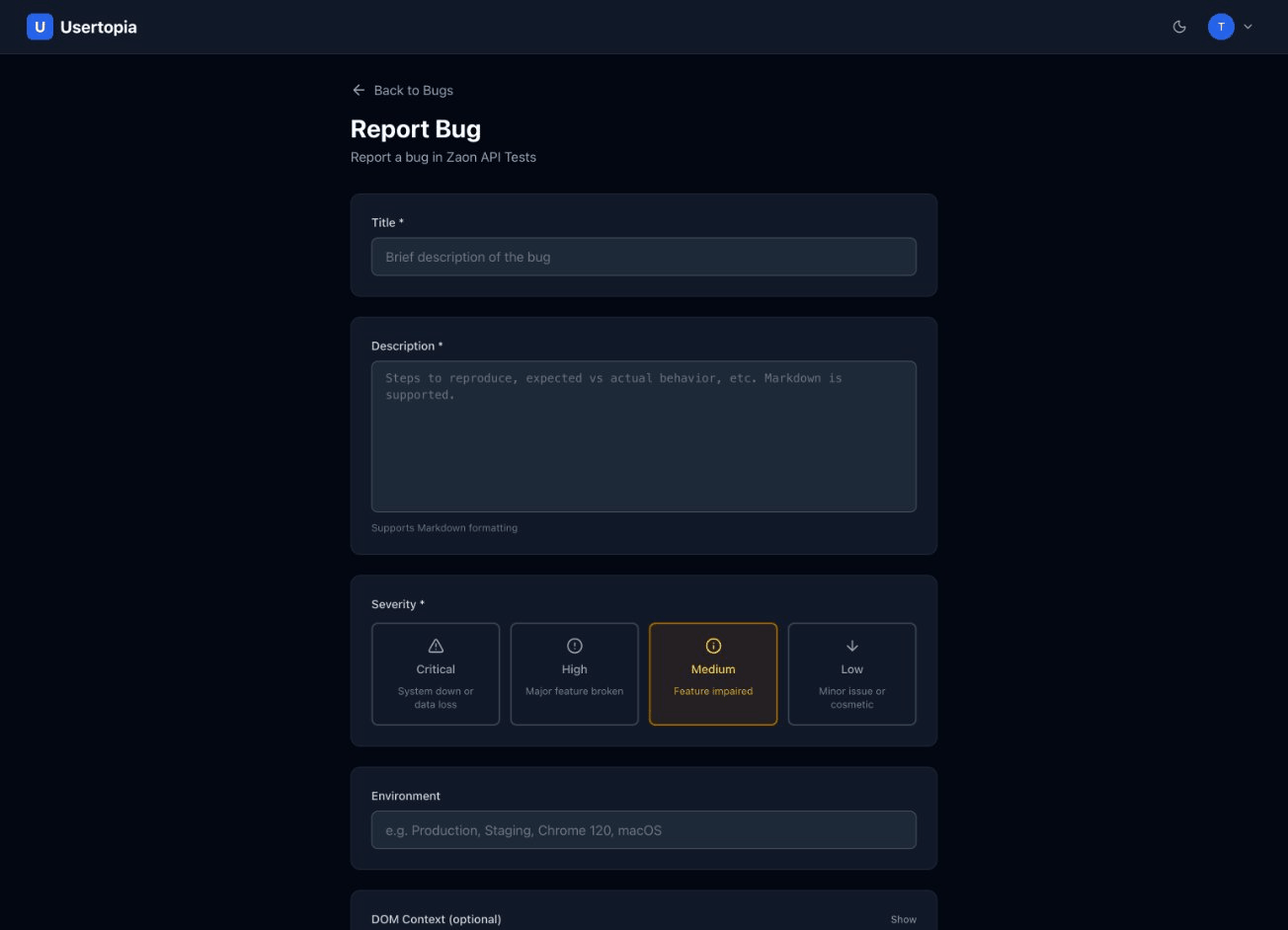
From the Bugs list page, click the "Report Bug" button to open the bug creation form. Fill in the following fields:
Title *
A concise summary of the bug.
Description *
Detailed explanation of what went wrong and what was expected.
Severity *
Critical, High, Medium, or Low.
Source Context
URL where the bug occurred, CSS selector, and element HTML for precise identification.
Media Attachments
Screenshots or screen recordings that illustrate the bug.
Steps to Reproduce
A numbered list of steps that reliably reproduce the issue.
Assignee
Assign the bug to a specific team member for resolution.
R = Required O = Optional
Bug Detail Page
The bug detail page provides a comprehensive view of the bug and all associated context:
Full Bug Information
Title, description, severity, source, assignee, and all metadata.
Status Actions
Contextual action buttons based on current status: Resolve, Verify, Close, or Reopen.
Activity Timeline
Chronological record of all status changes, comments, and actions taken on the bug.
Attached Media
Screenshots and screen recordings that visually document the bug.
DOM Context
Technical context including the URL, CSS selector, and element HTML where the bug was found.
Bug List & Filtering
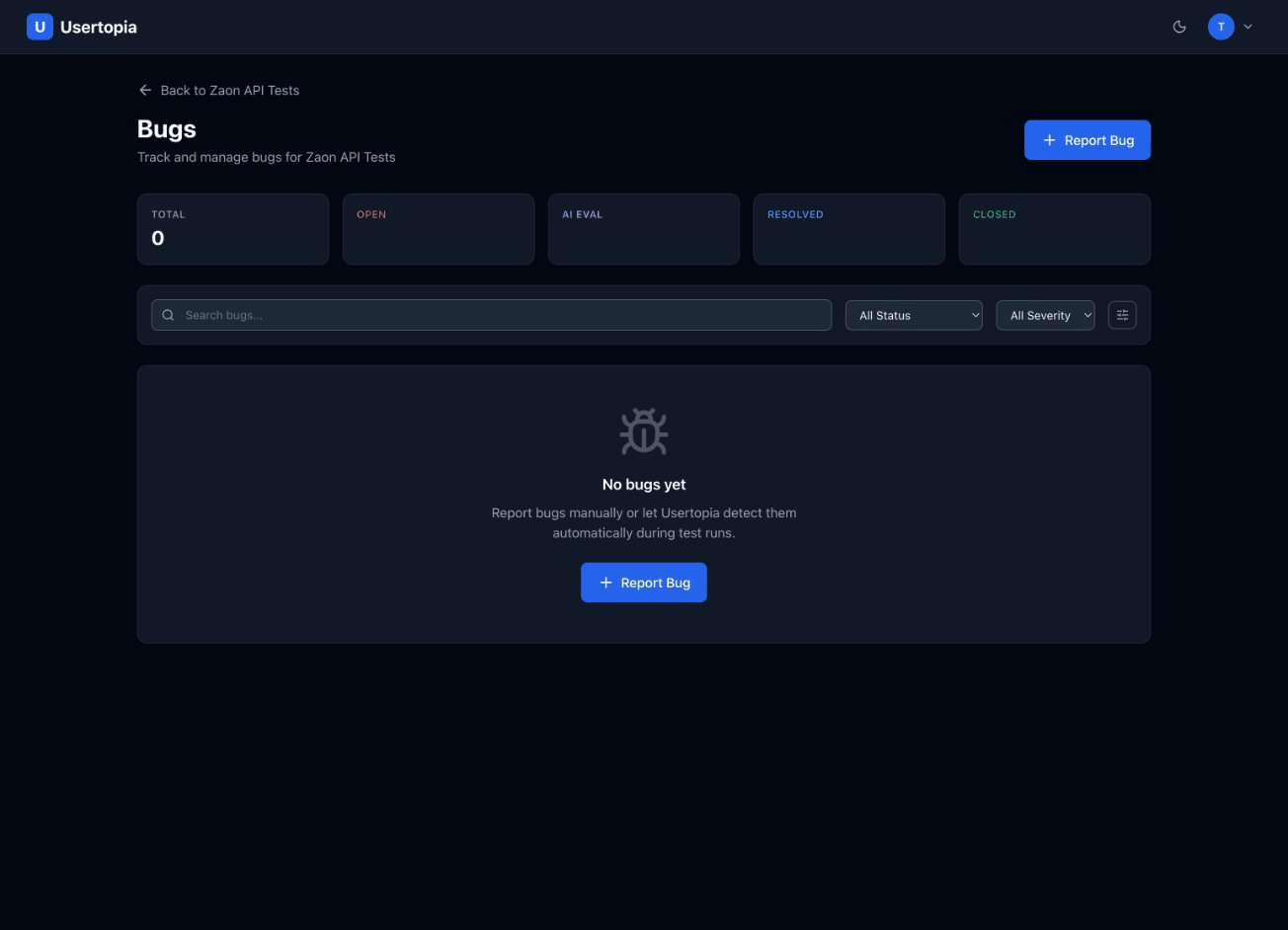
The bugs list page gives you a complete overview of all bugs for a project with powerful filtering and sorting options.
Stats Cards
At the top of the page, summary cards display key metrics at a glance:
42
Total
12
Open
3
AI Evaluating
18
Resolved
9
Closed
Filtering Options
| Filter | Options |
|---|---|
| Status | Open, AI Evaluating, Resolved (Human), Resolved (AI), Verified, Closed, Reopened |
| Severity | Critical, High, Medium, Low |
| Source | Manual, Test Run, Recorder, AI Vision |
| Search | Free-text search across bug title and description |
| Sort by | Date (newest/oldest), Severity (highest/lowest), Status |
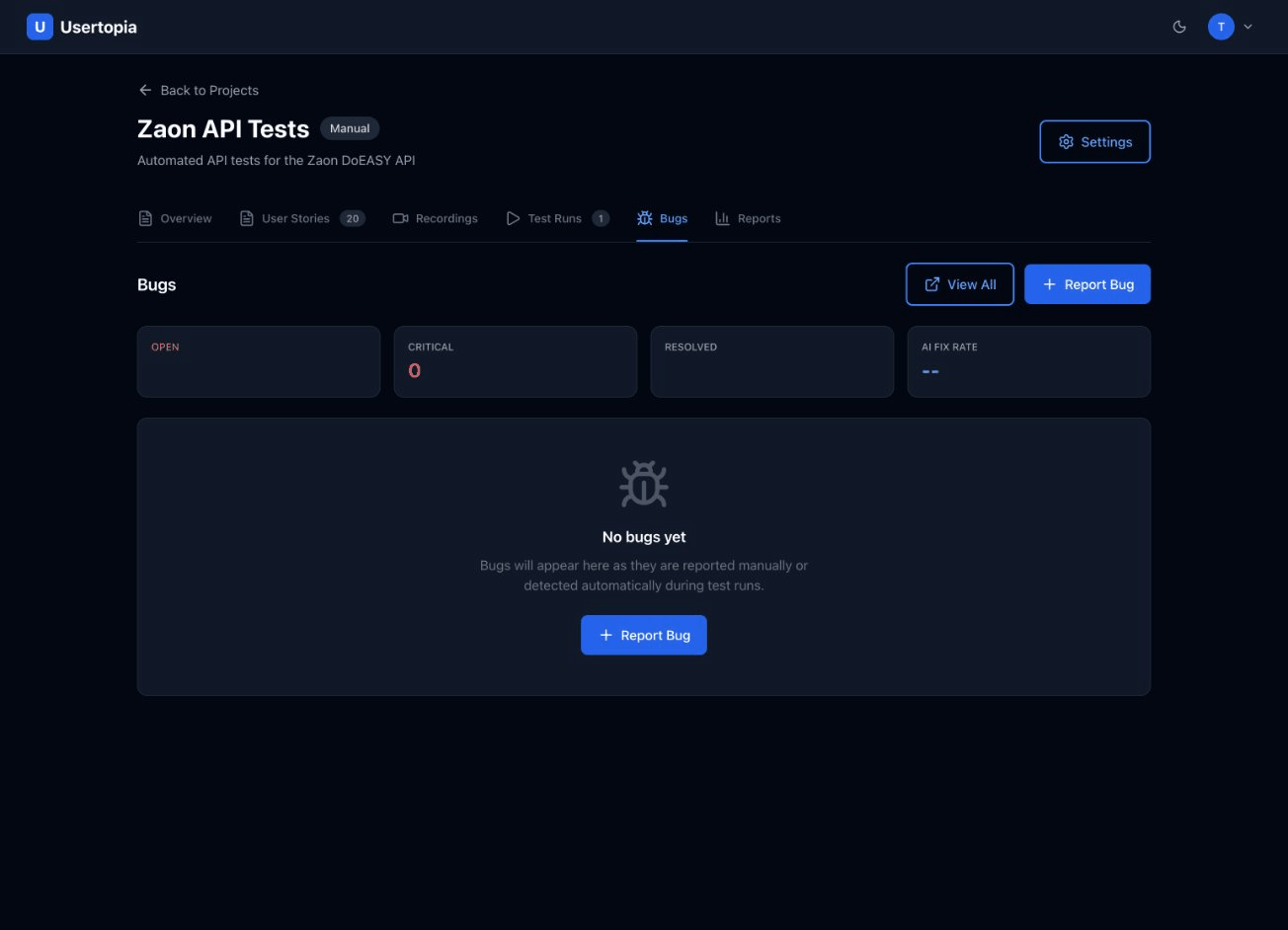
AI Bug Evaluation
When AI evaluation is enabled for a project, newly reported bugs are automatically sent for AI analysis. The AI agent performs a multi-step evaluation:
Context Analysis
The AI examines the bug description, any attached screenshots, DOM context, and steps to reproduce.
Severity Assessment
Based on the analysis, the AI assigns or validates the severity level of the bug.
Root Cause Identification
The AI suggests a likely root cause based on the available evidence and code context.
Fix Proposal
When possible, the AI generates a code fix and submits it as a pull request for review.
The "Heal" Phase
AI Bug Evaluation is part of Usertopia's "Heal" phase. When the AI agent identifies a fixable bug, it clones your repository, generates a code fix using Claude Code, verifies the fix with tests, and submits a pull request -- all automatically.